
Getting Started With SureFeedback SaaS
Welcome to SureFeedback Cloud 👋
SureFeedback Cloud is a visual feedback and task collaboration platform built to help teams collect precise website feedback without messy email threads or scattered screenshots.
Instead of vague messages like “fix the section under the header,” feedback is left directly on the live page, attached to the exact element being discussed.
Everything is centralized. Everything is trackable. Everything is organized.
Whether you’re a freelancer, agency, product team, or enterprise, SureFeedback Cloud helps you move projects forward faster and with clarity.
Why Use SureFeedback Cloud?
Many teams still rely on:
- Email threads
- WhatsApp messages
- Screenshots
- Spreadsheets
- Project management tools disconnected from the website
This creates:
- Confusion
- Missed details
- Delayed approvals
- Endless revision cycles
SureFeedback Cloud solves this by turning feedback into structured Tasks that are:
- Pinned directly to page elements
- Automatically organized by Site & Workspace
- Assignable to team members
- Trackable through statuses
- Manageable in a Kanban Board view
No more guesswork. Just clear, actionable tasks.
How SureFeedback Cloud Is Structured
To use the platform effectively, it helps to understand its structure:
Organization
Your main account container. Everything belongs to an Organization.
Workspace
A workspace groups related Sites, Tasks, and Members.
Most teams create one workspace per client or project.
Site
A connected website where feedback and tasks are collected.
Task
A visual feedback item pinned to a page element, like a comment. Tasks can include:
- Text
- File attachments
- Assignments
- Status updates
- Private discussions
Access Link
A secure link that loads the SureFeedback widget on your site, allowing you or your clients to leave tasks directly on the page.
Setting Up Your First Site
Follow these steps to begin collecting tasks.
Step 1: Create Your Account
Sign up at:
👉 https://app.surefeedback.com
You can register using:
- Email & password
- Google login
After logging in:
- One Organization is created automatically
- One default Workspace is ready for you
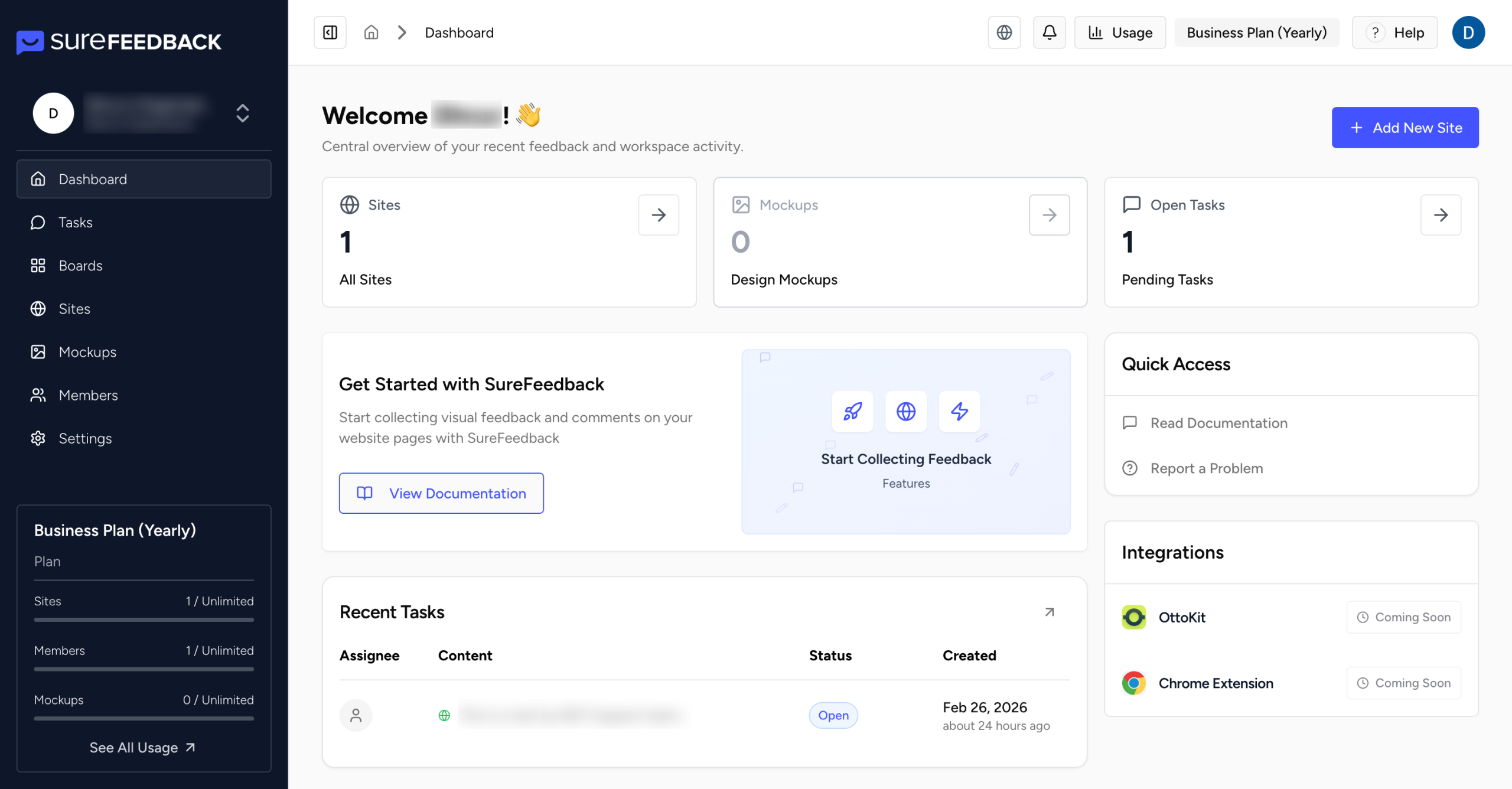
You can create additional workspaces anytime. This is how your Dashboard should look like :
Step 2: Add a Website
Inside your Workspace:
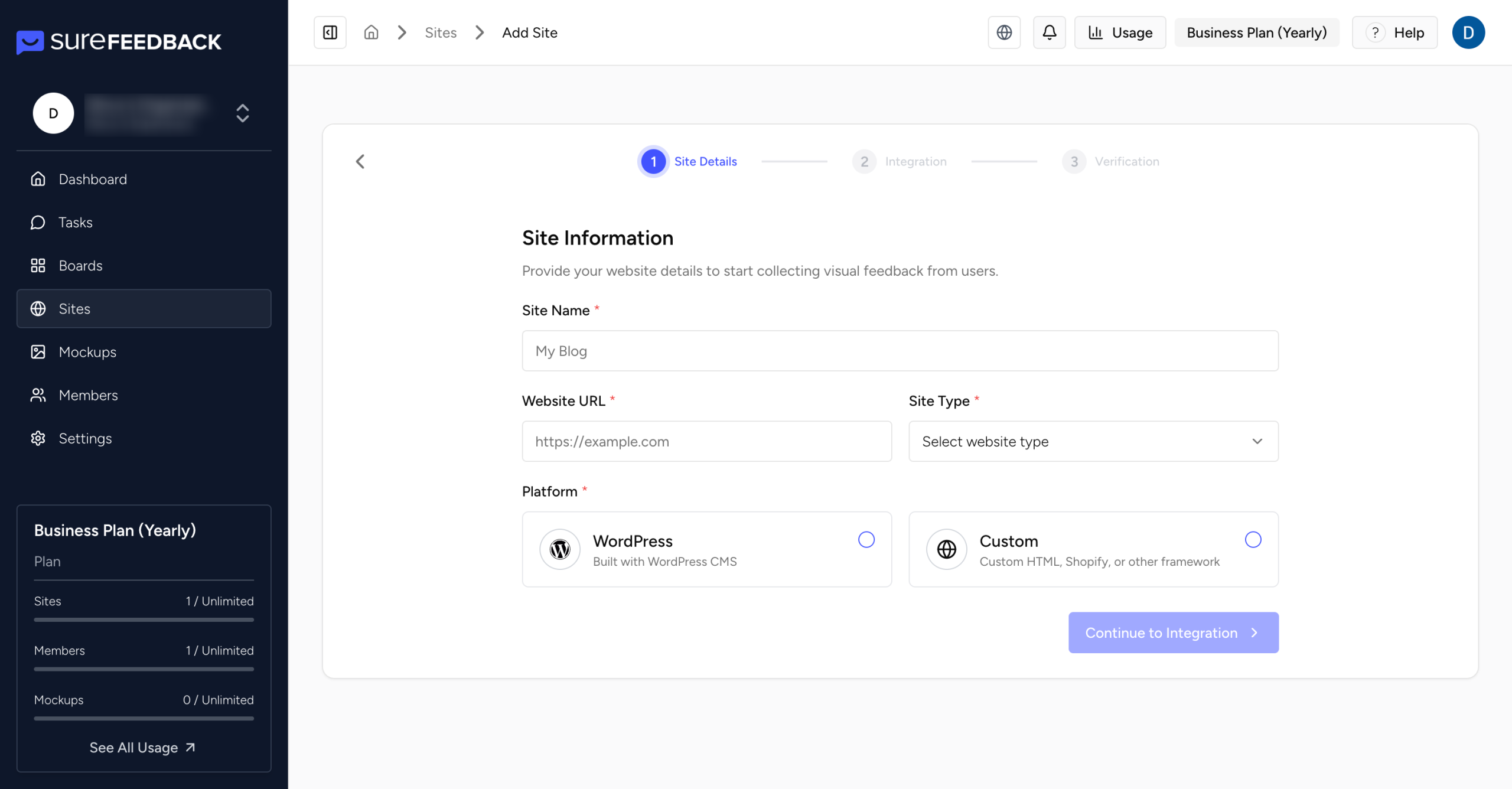
- Go to Sites
- Click Add New Site
- Enter your website URL
- Choose your platform:
- WordPress
- Custom HTML
The site will automatically be assigned to your active workspace.
Step 3: Connect Your WordPress Site (Automatic Setup)
If you select WordPress, setup is fully automated.
- Enter your WordPress admin credentials
- SureFeedback Cloud installs and activates the plugin automatically
- The connection is verified securely
No manual downloads. No FTP uploads. No copying files.
Security Note:
SureFeedback uses secure, short-lived verification tokens. Your WordPress credentials are never stored.
If verification fails:
Go to Sites → Actions → Integration and confirm credentials are correct.
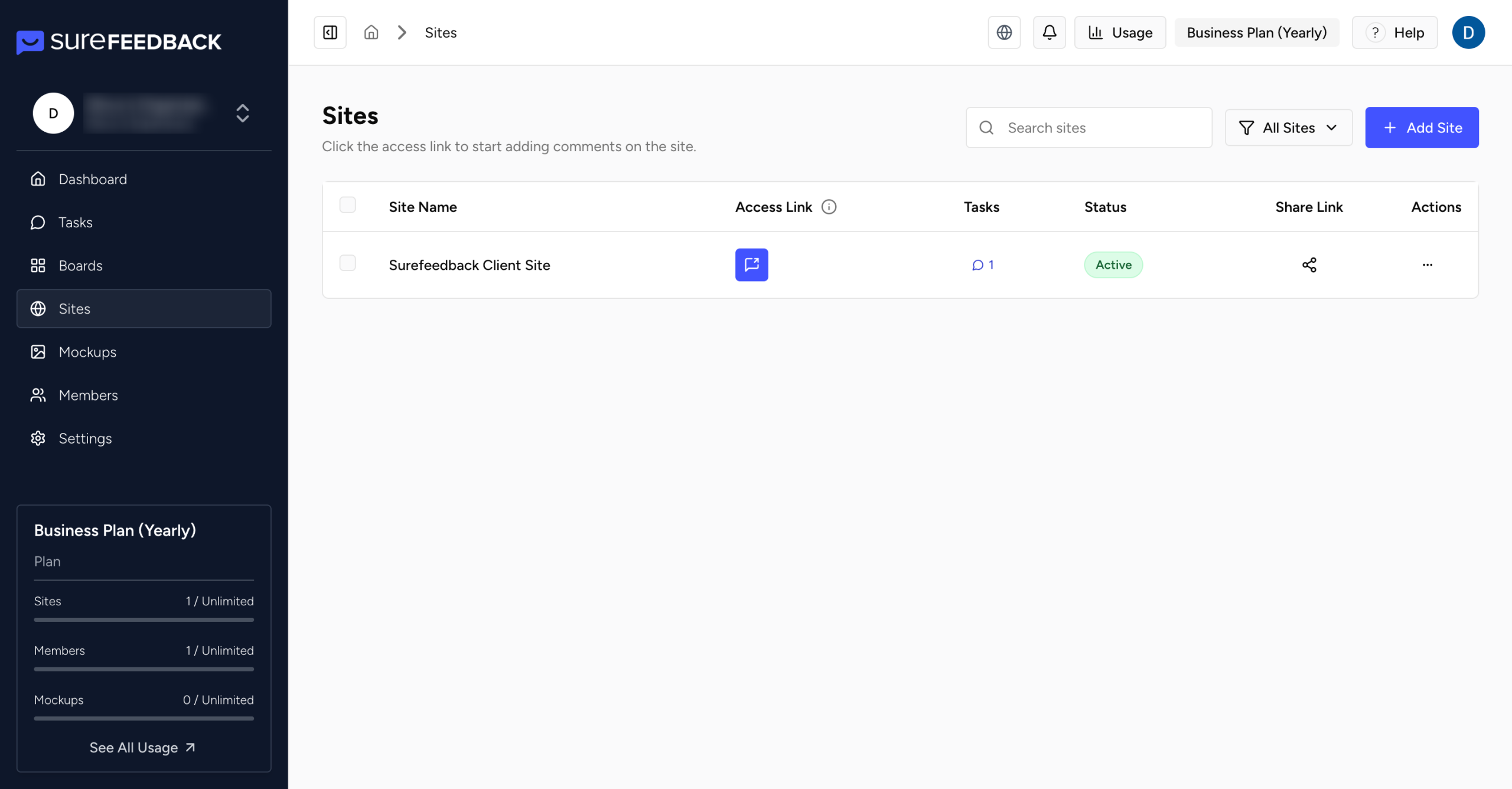
Once connected, your site appears in the Sites dashboard.
Step 4: Start Creating Tasks on Your Website
To collect feedback:
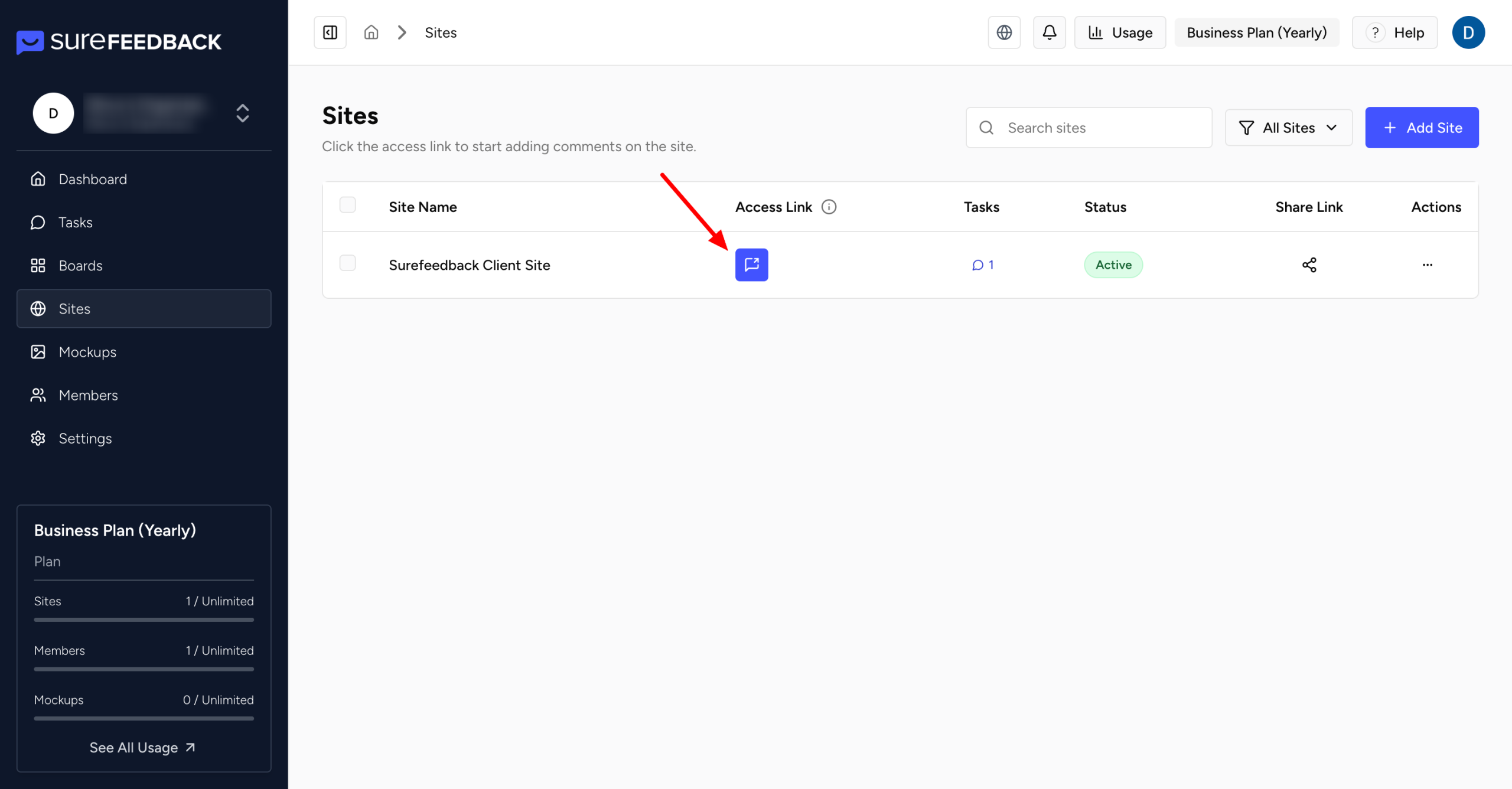
- Open your website using the Access Link (found in Sites)
- The SureFeedback widget loads on the page
- Click on any element
- Create a Task

Each task is:
- Pinned to a specific element
- Synced instantly to your dashboard
- Organized by Site & Workspace
You can:
- Assign tasks
- Attach files
- Add internal notes
- Change statuses
- Start private threads
Managing Tasks with Boards
SureFeedback Cloud includes a Kanban Board View to help you manage progress visually.
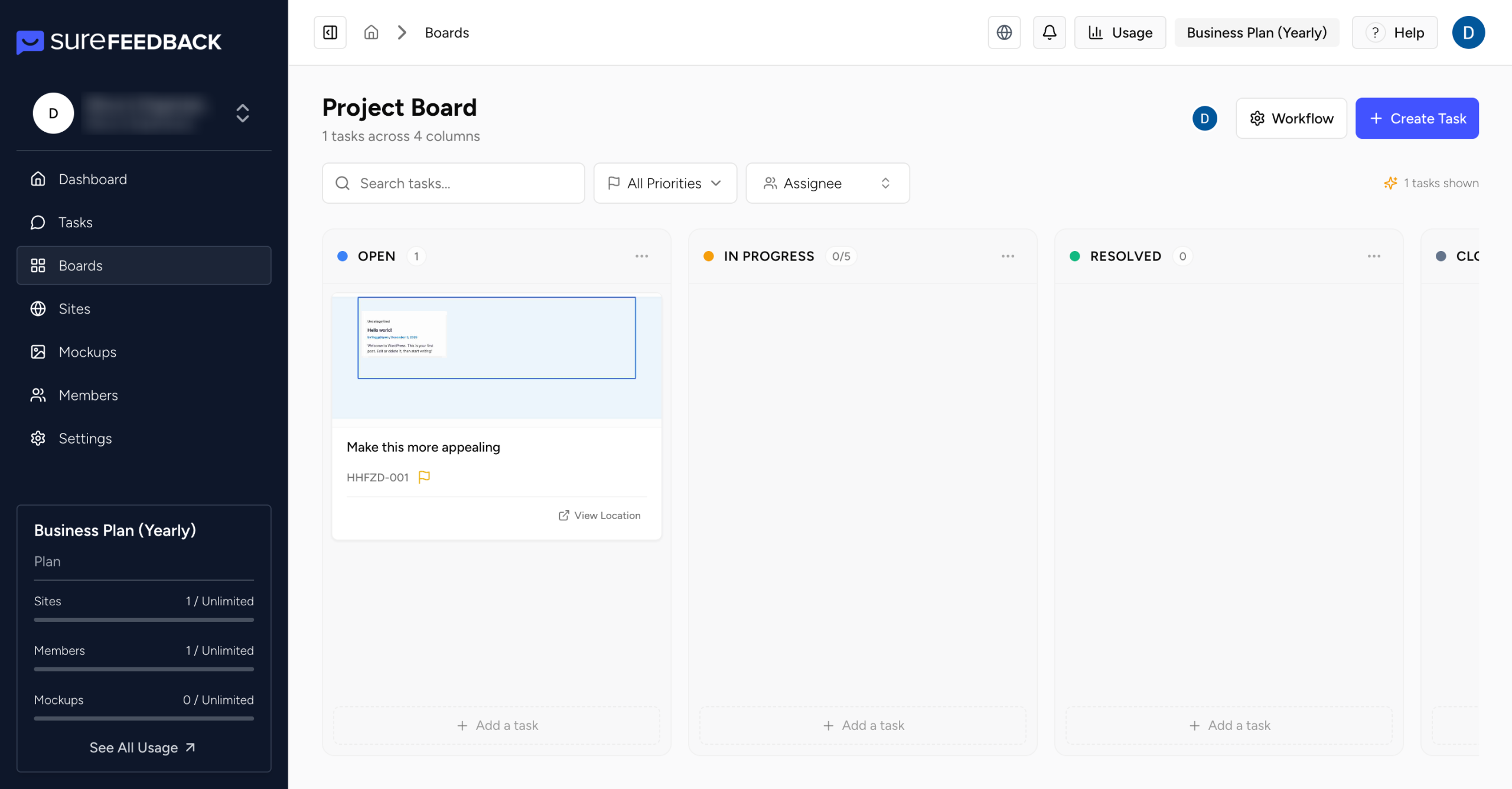
Tasks are organized into columns such as:
- Open
- In Progress
- Review
- Completed
You can:
- Drag and drop tasks between statuses
- Quickly see workload distribution
- Track bottlenecks
- Manage approvals efficiently
This makes SureFeedback not just a feedback tool, but a lightweight task management system for website reviews.
Collaborating with Your Team
SureFeedback Cloud is built for structured collaboration.
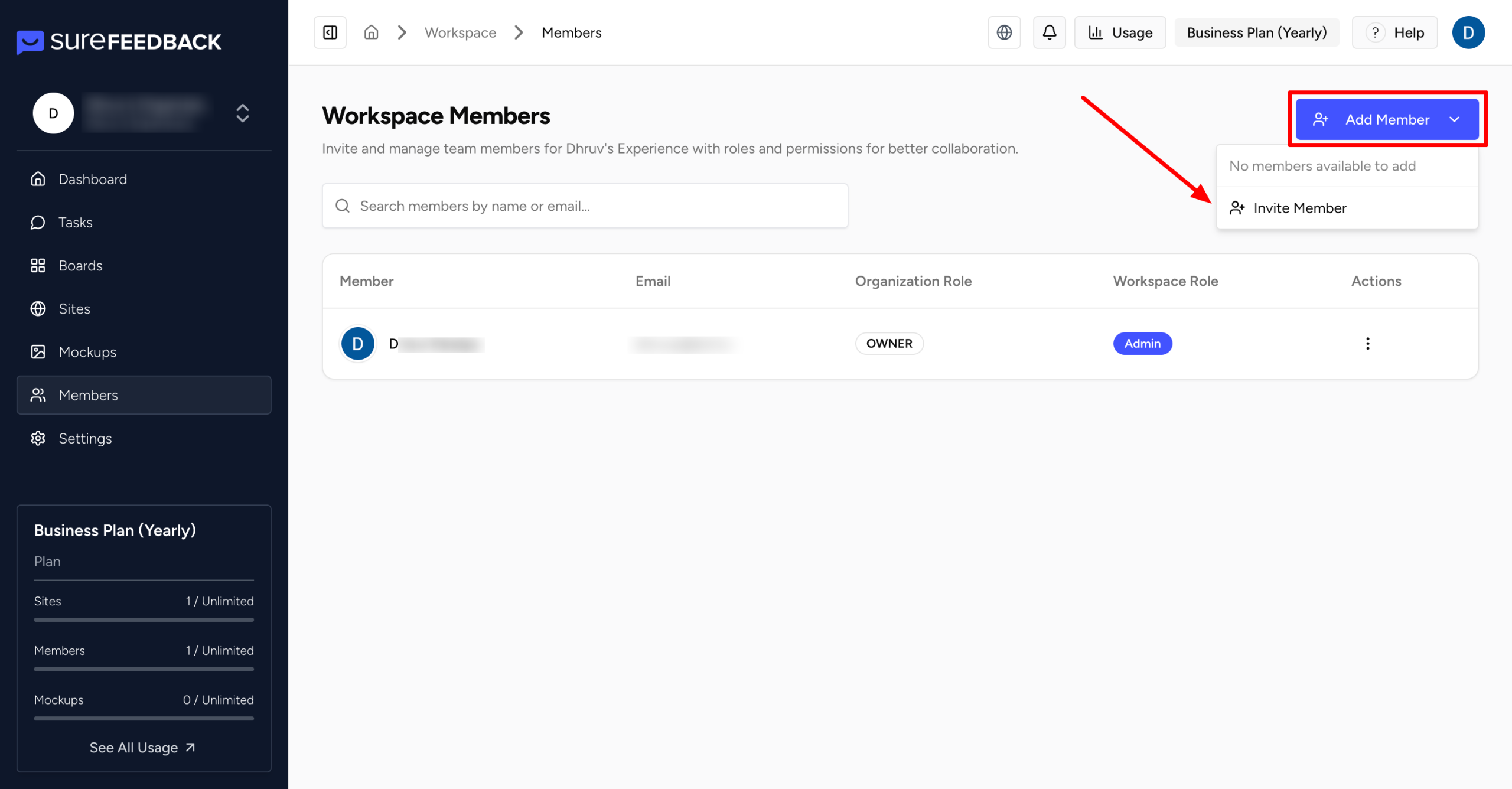
To invite members:
- Go to Members
- Click Add Member
- Enter their email
- Assign role & workspace access
Roles:
Member
- Can collaborate on assigned workspaces
- Can create and manage tasks
Owner
- Full control over assigned workspaces
- Can manage members and settings
You can also assign Workspace Admin privileges for advanced permissions.
Access is always controlled per workspace.
What Happens After Setup?
Once your site is connected, you can:
- Invite clients to review pages
- Share the Access Link
- Assign tasks to team members
- Track progress in Kanban view
- Approve pages
- Manage private & public discussions
- Monitor activity inside your dashboard
Everything stays centralized inside your workspace.
Who Is SureFeedback Cloud For?
SureFeedback Cloud works equally well for:
- Freelancers managing client revisions
- Agencies handling multiple projects
- Product teams running QA reviews
- Marketing teams reviewing landing pages
- Enterprise teams coordinating cross-functional feedback
The structure scales with your workflow.
Need Help?
If you have any questions or run into issues:
👉 https://surefeedback.com/contact-us/
You’ll also find helpful guides inside your dashboard.
Start Collecting Visual Tasks Today
Create your account here:👉 https://app.surefeedback.com
We don't respond to the article feedback, we use it to improve our support content.