
- Integromat Integration
- Zapier Integration
- Dialog Display On User Image Approval
- Changing A Mockup URL Slug
- Extend Backbone Models, Views, Collections
- Custom Scripts & Styles
- Website Publish Action
- New Comment Threads
- Additional Notification Emails
- Welcome Message In Mockups
- Change Subscribed User Email
- Dialog Display After A Comment
- Auto-Close Mockup Comment
- Changing Mockup Download
- Add Settngs To Extension Page
- Listening JavaScript Events
- Modify Default Mockup Project Options
- Overriding & Changing Templates
Integromat Integration
You can integrate SureFeedback with Integromat using SureFeedback’s REST API! To connect your WordPress account to Integromat, the JSON Basic Auth plugin has to be installed in your WordPress installation.1
- Visit github.com/WP-API/Basic-Auth and download the JSON Basic Authentication plugin (direct link)
- Install and activate the plugin zip file via your SureFeedback dashboard site’s wp-admin, under Plugins > Add New > Upload.
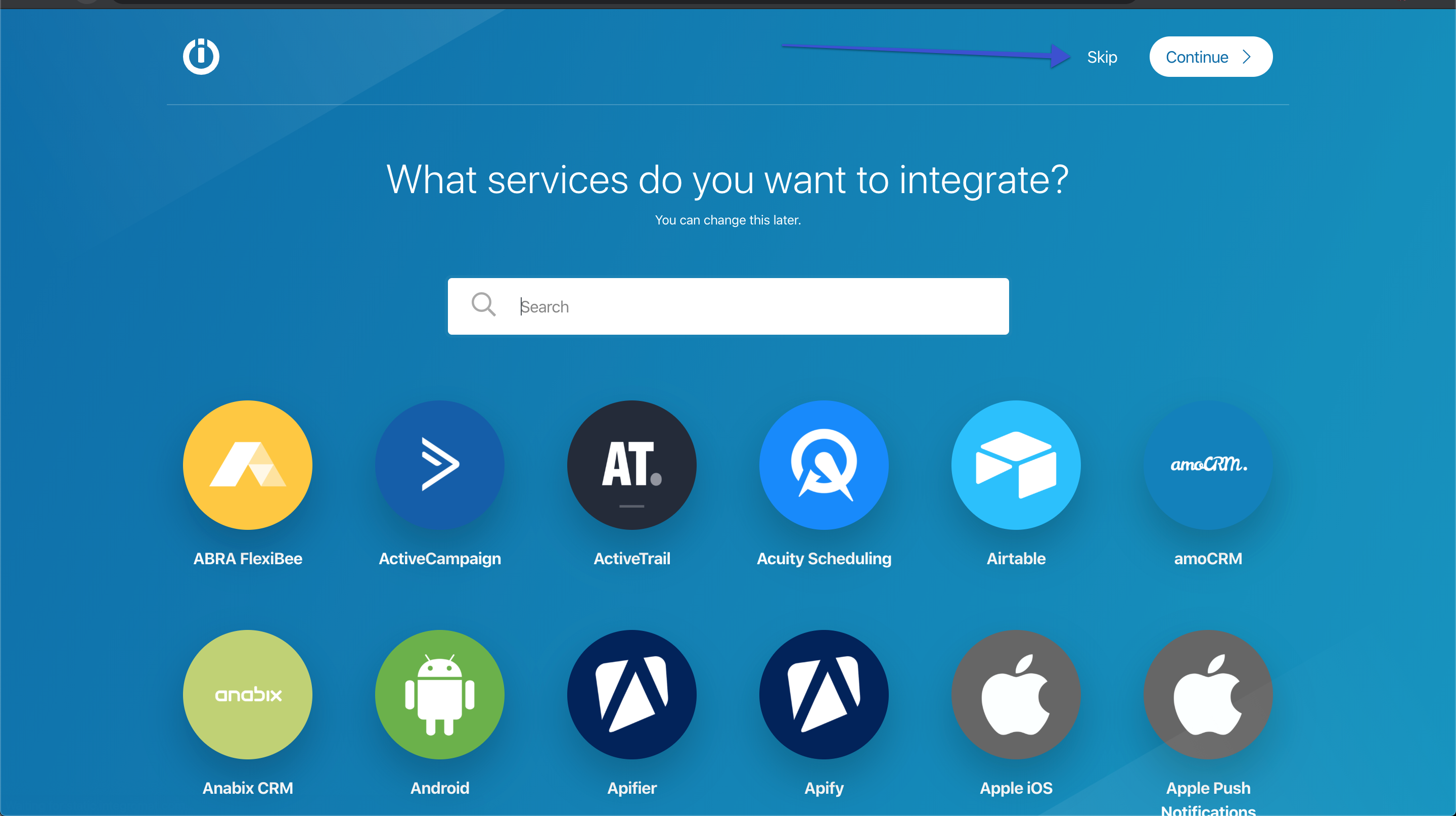
- On your Integromat dashboard click Create A New Scenario, then click Skip:
4. Click the “More” button, and click “Import Blueprint”.
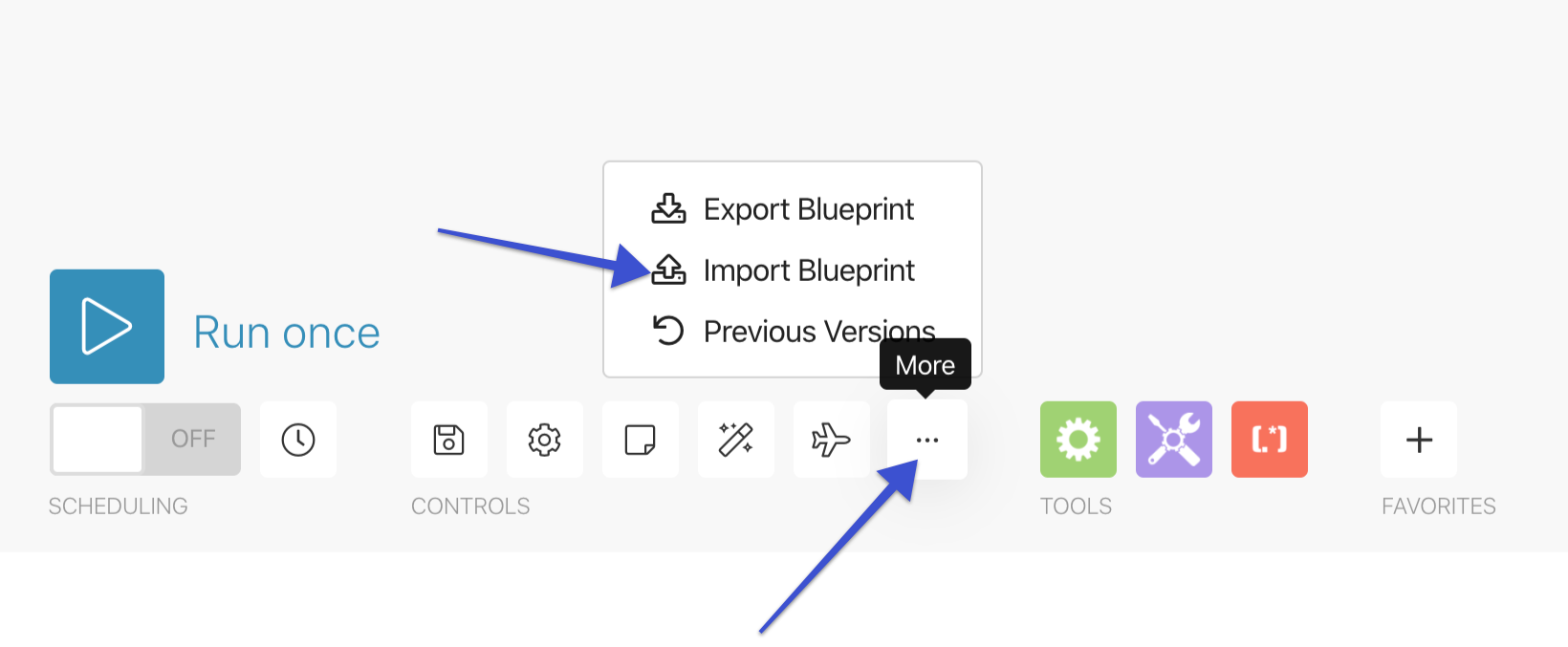
Upload one of these blueprints to get started!
Blueprints
New Mockup Tasks Blueprint
New Website Tasks Blueprint
5. In the HTTP Module, update yoursite.com to your own site URL (make sure www vs not www is correct!)
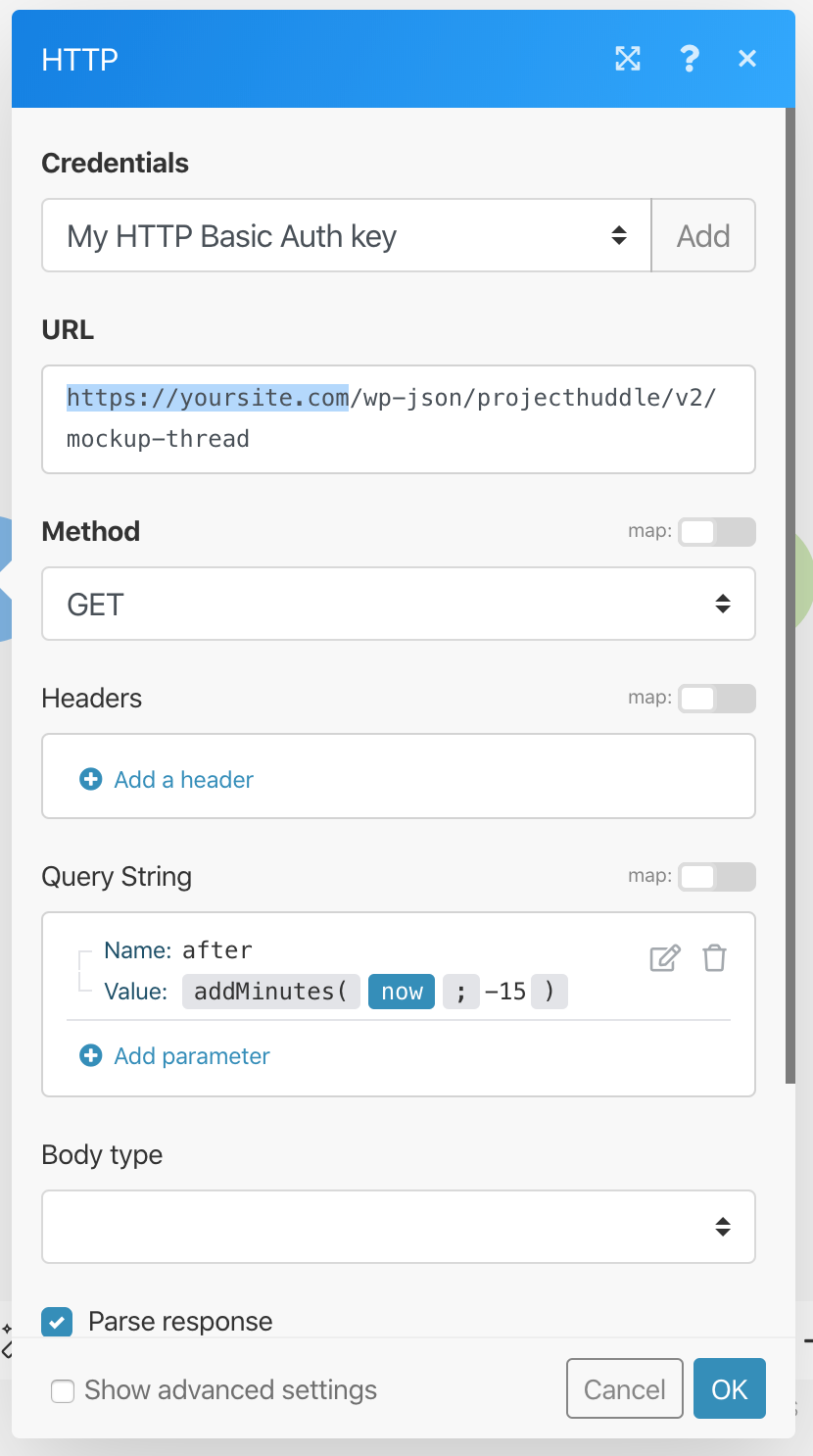
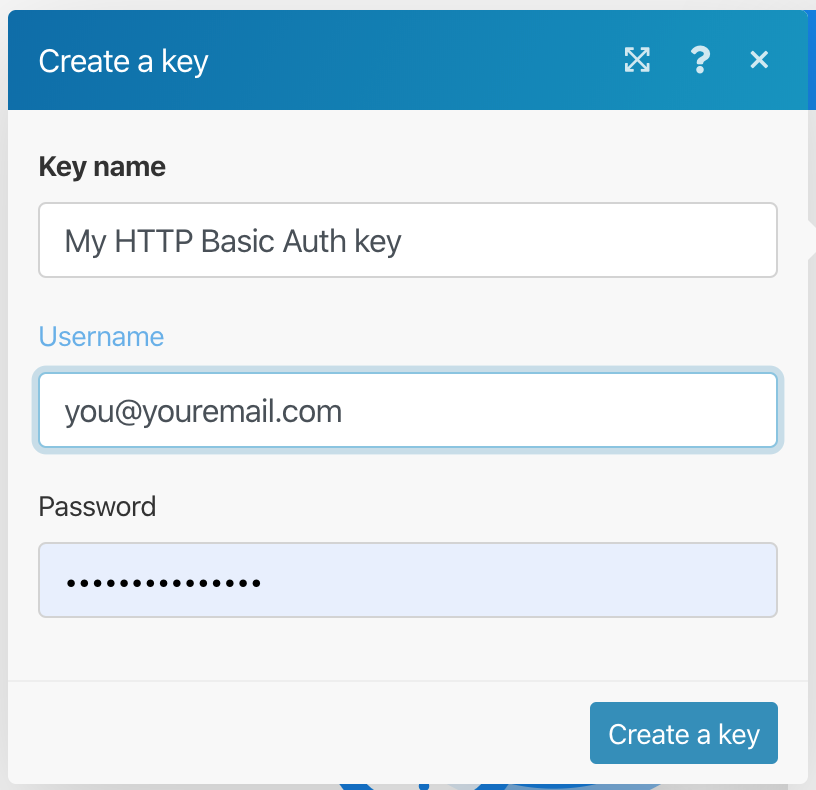
6. Click “Add” next to the “Credentials” box and add your username and password.
7. Add a new mockup task or website task on your site for testing.
8. Click “Run Once” on integromat and ignore any warnings.
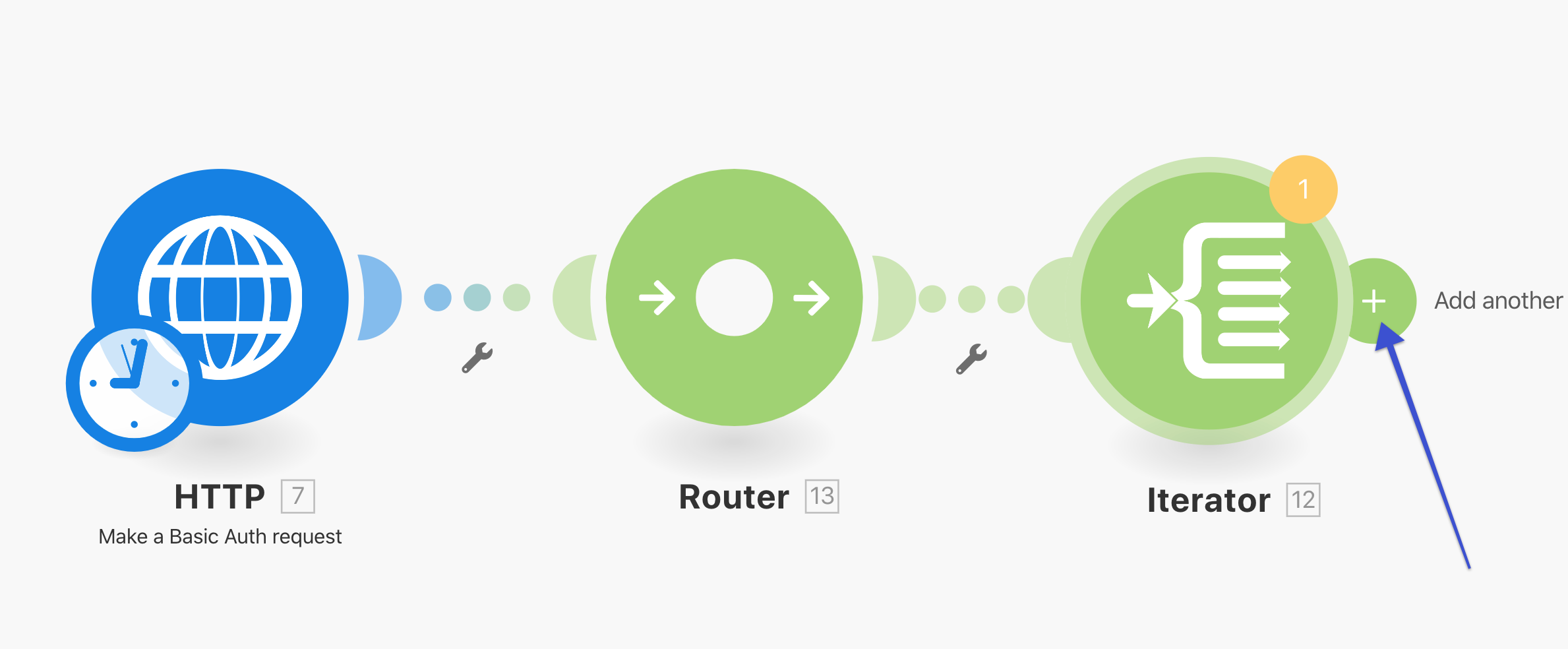
9. Connect your service to the iterator module, create your action and map the fields to your service!
We don't respond to the article feedback, we use it to improve our support content.