
- Install SureFeedback & Addons
- Update SureFeedback
- Translate SureFeedback
- WPML For Multilingual Sites
- Main Site Or Dedicated Installation?
- Automating SureFeedback Workflows With OttoKit
- Manage Licenses
- Caching & SureFeedback
- Litespeed Caching
- Chrome Incognito: Session Expired Notice
- Gridpane Compatibility
- Breeze Compatibility
- W3 Total Cache Compatibility
- Download Failed: Unauthorized
- Flywheel Cache Exclusion
- Generate Invoice
- WPRocket Compatiblity
- Swift Performance Caching
- Debugging
- Varnish Caching
- Website Comments Not working
- Flywheel Compatibility
- Emails Not Sending
- WPEngine Cache Exclusion
- Increasing WordPress Memory Limit
- Client & Colleague Accounts
- Permissions Cheatsheet
- Slack Integration
- Export Comments in PDF / CSV
- Provide Project Access
- Hosting
- Subscribed Projects Shortcode (Below 3.1.x)
- Activate SureFeedback License
- Dashboard Shortcode
- Cloudways Compatibility
- Known Issues
- SureFeedback On External Site
- Emails
- Project Shortcode
- Customization Settings
- Project Shortcode (Below 3.1.x)
How to Install SureFeedback & Addons
To install SureFeedback and its add-ons, follow these steps:
Note: You must be on the Professional or Ultimate plan to download add-ons from the Downloads page.
- Go to your account’s Downloads page.
- Download the SureFeedback ZIP file.
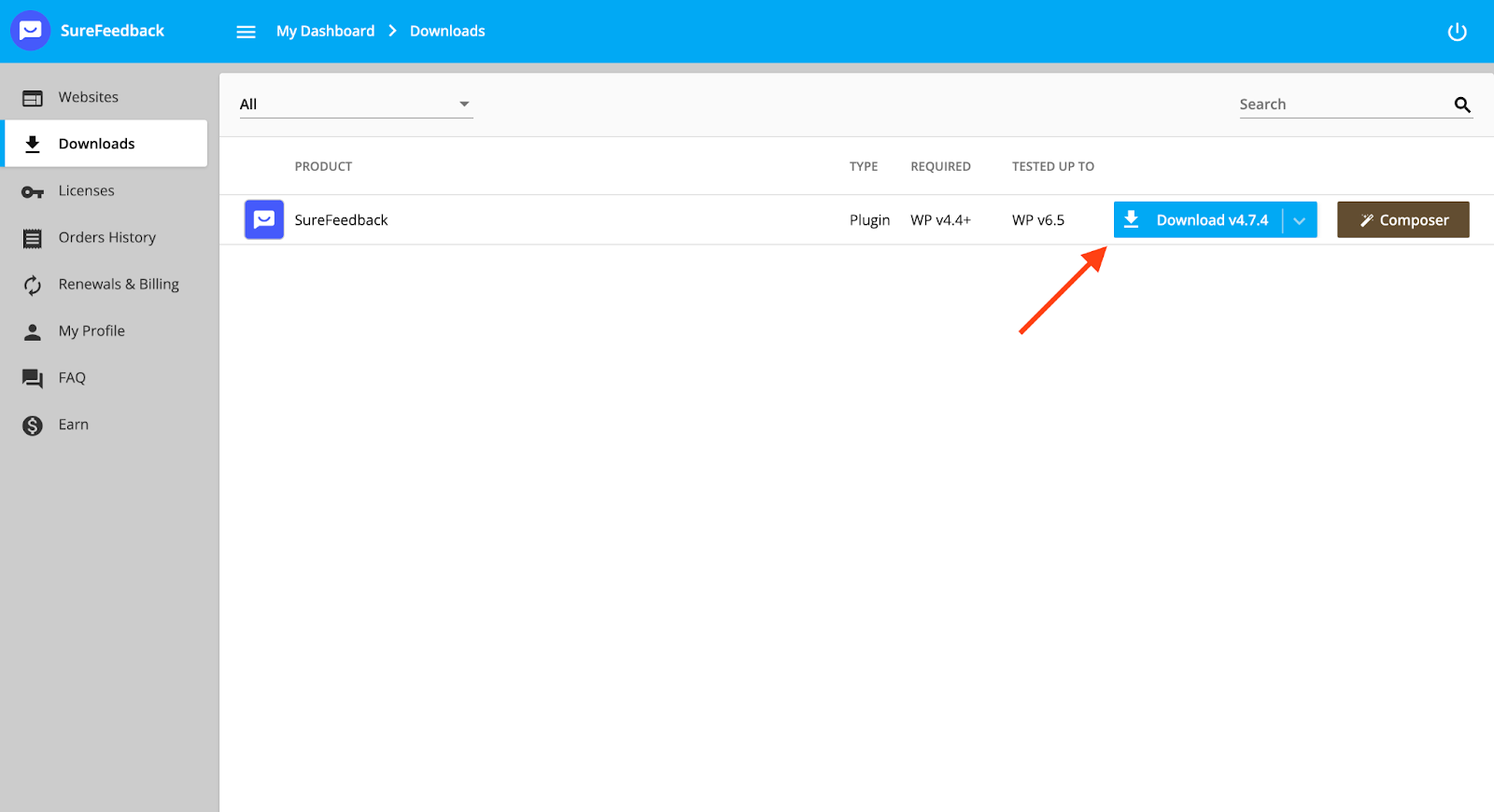
You can always download SureFeedback or any add-ons through the above Downloads Page.
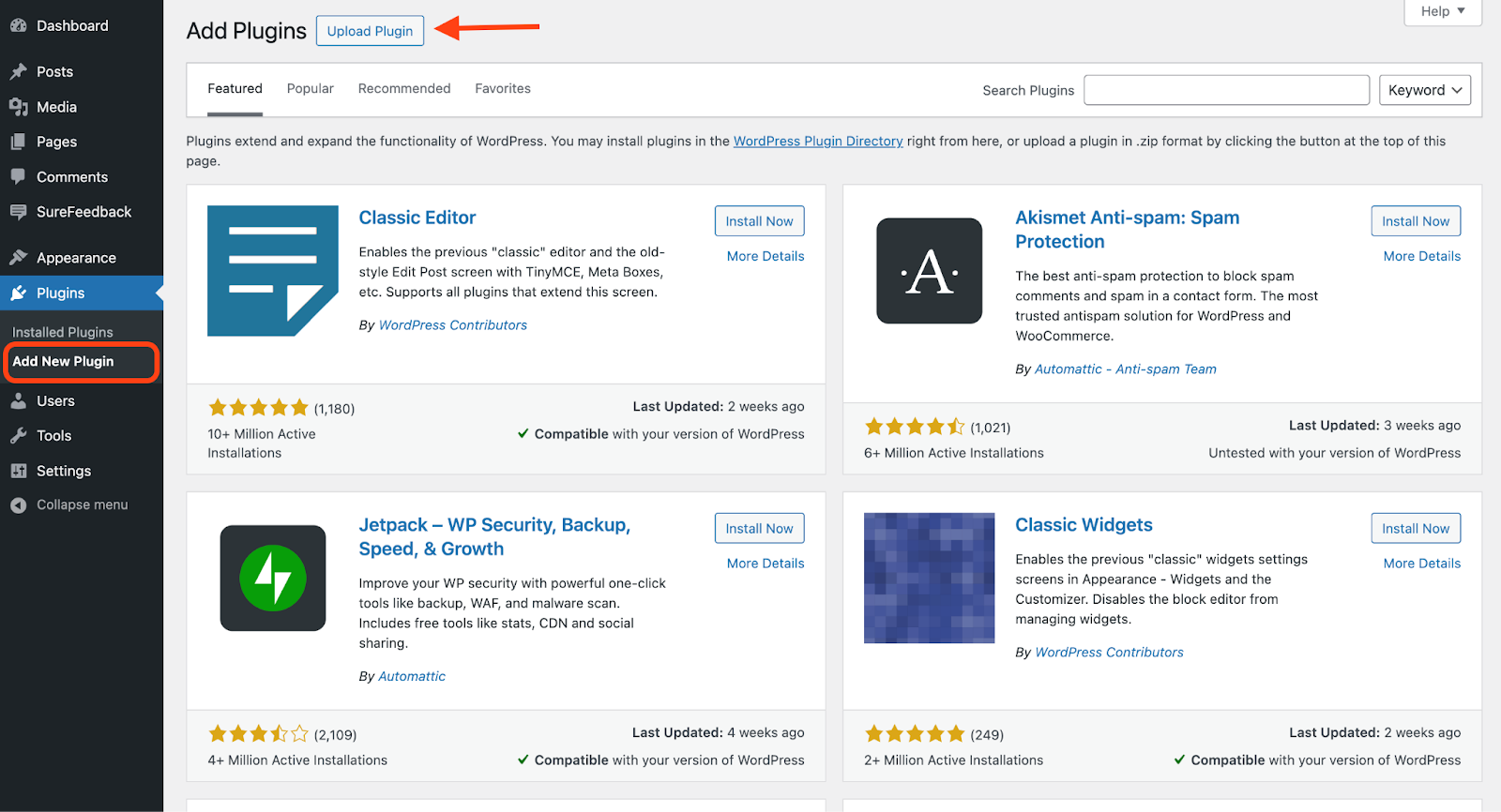
- Once you’ve downloaded the ZIP file, go to Plugins > Add New Plugin in your WordPress dashboard.
- Upload the plugin here.
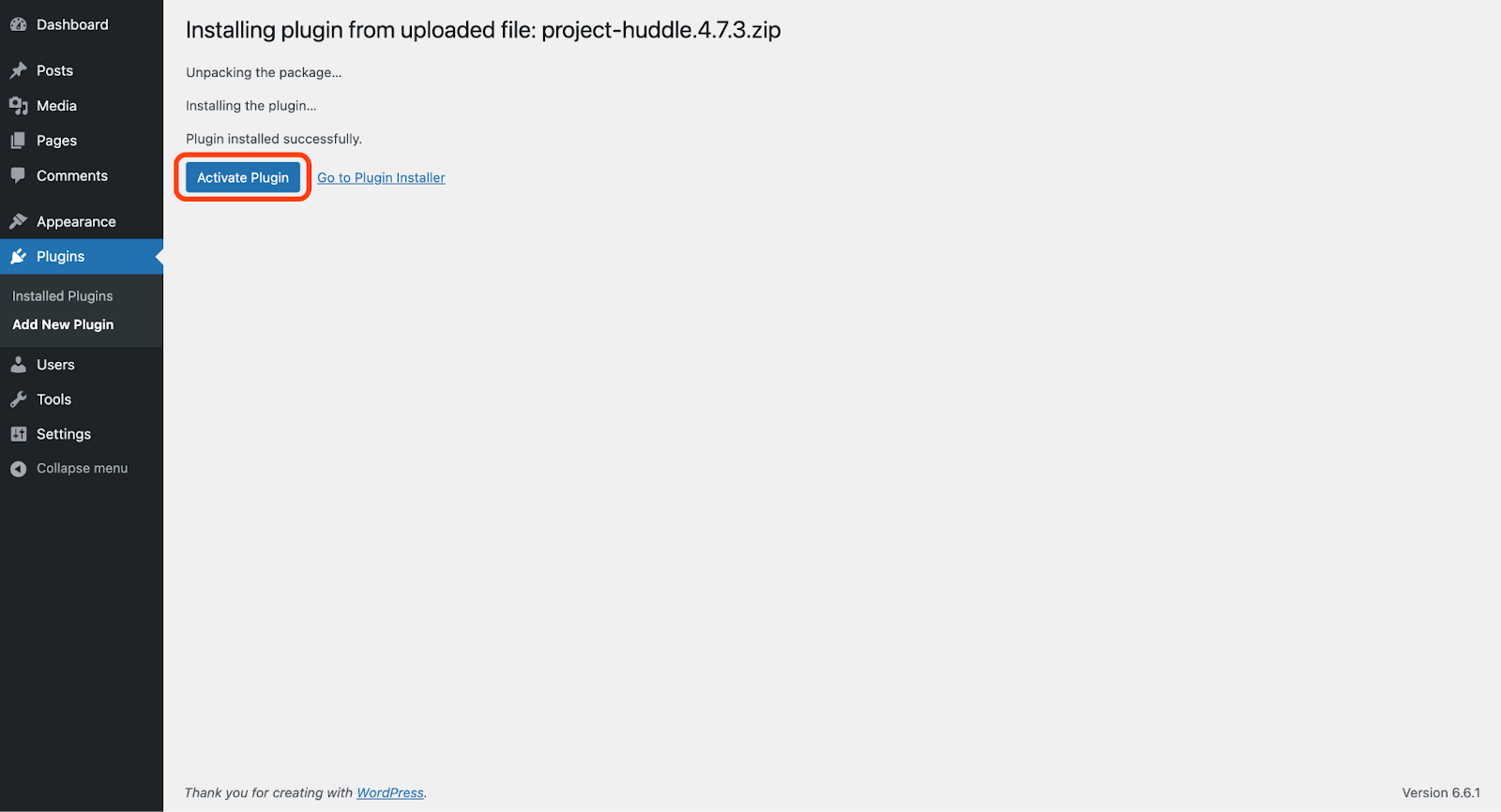
- Once the plugin is installed, click Activate Plugin and you’ll be ready to use the plugin.
If you have doubts, feel free to contact us by opening a ticket below. We’re always here to help!
Was this doc helpful?
What went wrong?
We don't respond to the article feedback, we use it to improve our support content.